Preventing Data Leaks in LLM Workflows: A Practical Guide for Security Teams
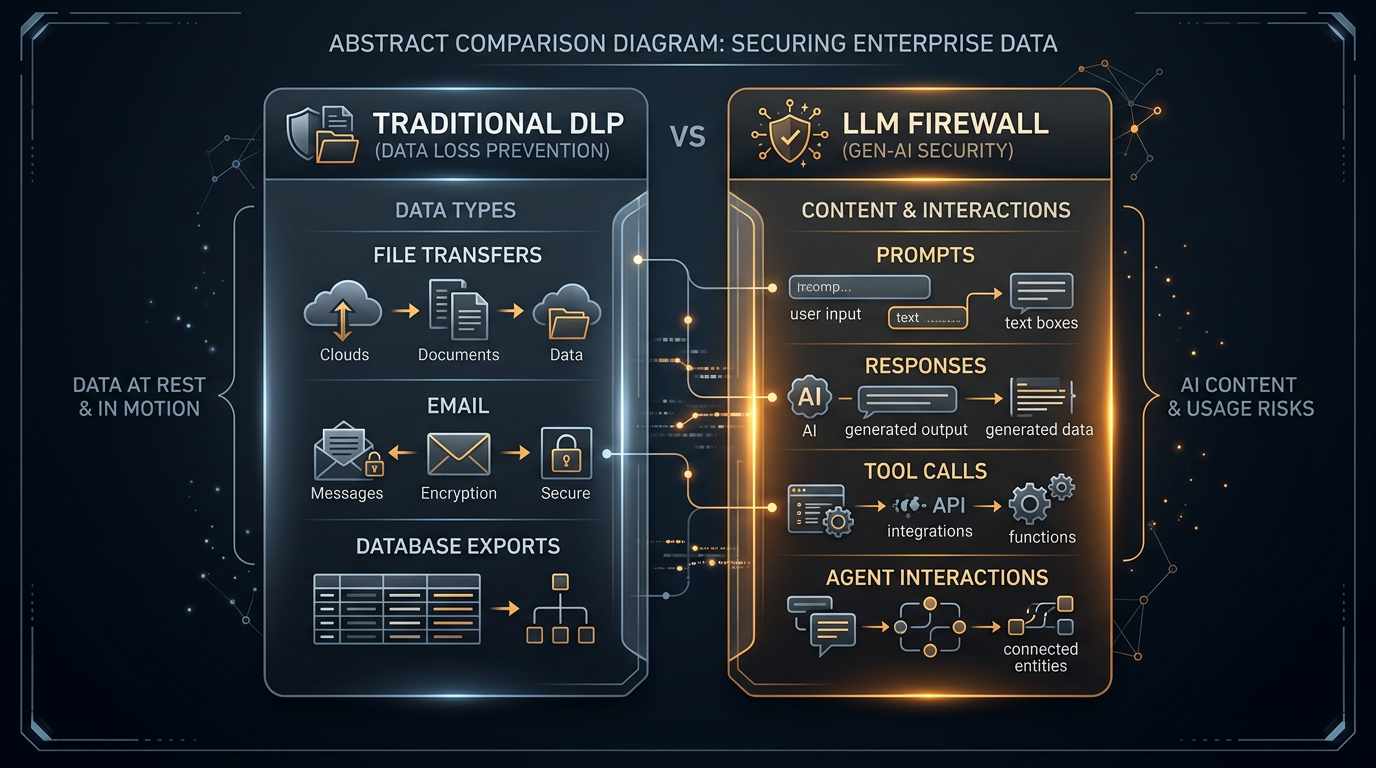
Understanding the threat is step one. Implementing controls is what actually stops data leaks. This guide is for security operators who need to configure an LLM firewall to prevent data leakage in AI workflows.
It covers the four policy layers you need to configure, with concrete examples for each.
Layer 1: Prompt redaction policies
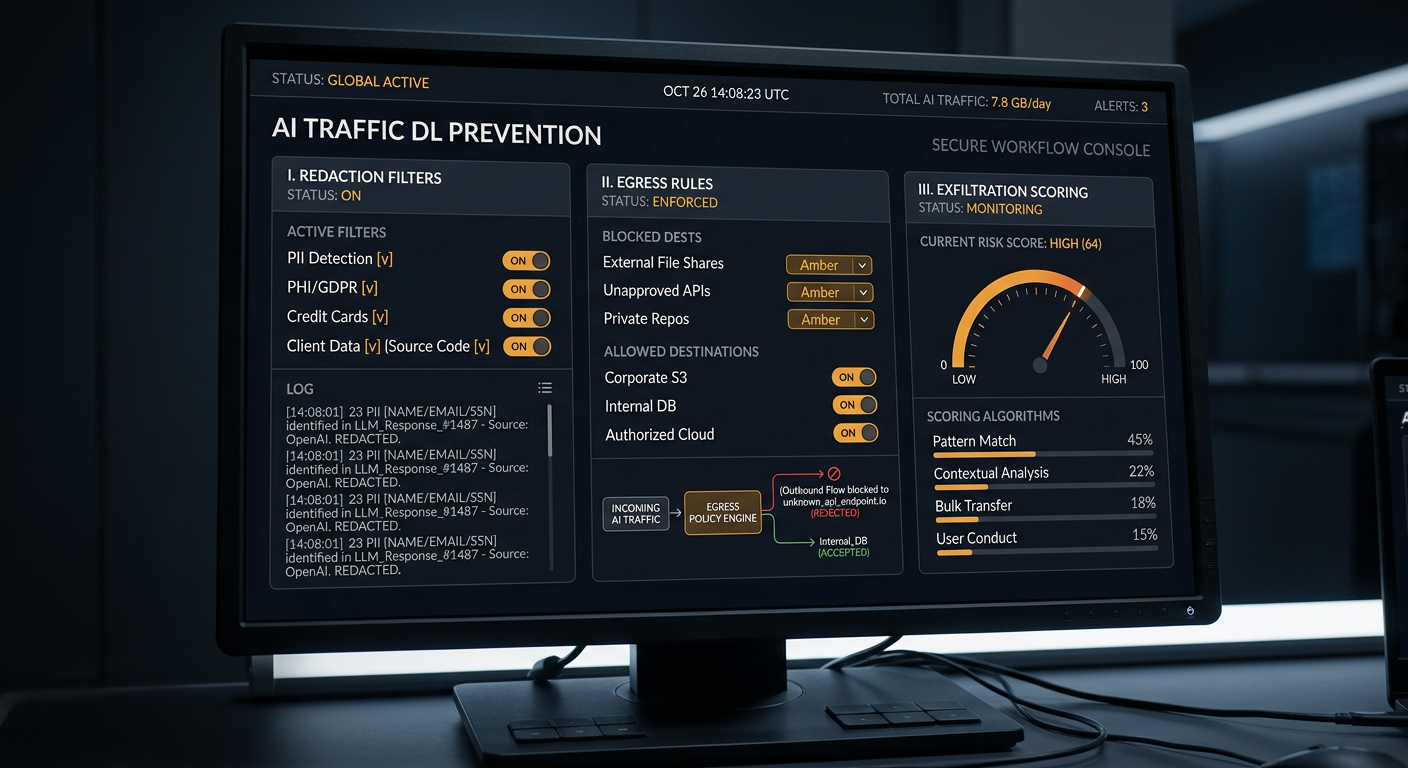
The first control point is the prompt itself. Before a prompt reaches the model, the firewall inspects it for sensitive data and applies redaction rules.
What to redact
Credentials and secrets:
- API keys (AWS, GCP, Azure, GitHub, GitLab, OpenAI, Anthropic)
- Database connection strings
- SSH private keys
- OAuth tokens and JWTs
- Passwords and passphrases embedded in prompts
Personal data:
- Social Security numbers and national ID formats
- Credit card numbers
- Email addresses (depending on policy)
- Phone numbers (depending on policy)
- Home addresses
Proprietary data:
- Source code (detect by patterns: function definitions, class structures, import statements)
- Internal document markers (CONFIDENTIAL, INTERNAL, PROPRIETARY)
- Internal system names and hostnames
- Internal IP addresses and network topology
Regulated data:
- Health data (PHI/HIPAA scope)
- Financial records (GLBA scope)
- Data covered by GDPR, CCPA, or sectoral regulations
How redaction works
The firewall inspects the prompt text in real time. When it detects sensitive data matching a policy rule, it applies one of three actions:
- Redact: Replace the sensitive data with a placeholder (e.g.,
[REDACTED_API_KEY]) before sending the prompt to the model. The user sees a notification that redaction occurred. - Block: Reject the prompt entirely and return a policy violation message to the user. Use for data that should never enter an AI system under any circumstances.
- Alert: Allow the prompt through but log the event and alert the security team. Use for data that is not strictly prohibited but should be monitored.
Policy example
Rule: AWS credentials in prompts
Match: AKIA[0-9A-Z]{16}
Action: Block
Alert: Security team
Log: Yes

Rule: Source code in prompts
Match: function|class|import|def |package  (with code structure heuristics)
Action: Redact
Alert: No
Log: Yes

Rule: Social Security numbers
Match: \d{3}-\d{2}-\d{4}
Action: Redact
Alert: Security team
Log: Yes
Layer 2: Response inspection and redaction
The second control point is the model's response. Before a response reaches the user, the firewall inspects it for sensitive data that should not be there.
What to inspect responses for
- Sensitive data the model should not have accessed: If the response contains customer records, financial data, or source code that the user's role does not permit, the firewall blocks or redacts it.
- Data the model retrieved through tools: If an agent called a tool to access a file or database, the response may contain data from that tool call. The firewall inspects the response for data classification violations.
- Data injected through prompt manipulation: If the model was manipulated into including sensitive data in its response, the firewall catches it before the user sees it.
- Credentials and secrets in generated code: AI coding assistants may include real credentials in generated code samples. The firewall scans responses for credential patterns.
Response policy example
Rule: Customer PII in responses
Match: [PII detection patterns]
Action: Redact with placeholder
Alert: Security team
Log: Yes

Rule: Source code from restricted repositories
Match: [Repository watermark or code signature]
Action: Block
Alert: Security team
Log: Yes

Rule: Credentials in generated code
Match: AKIA[0-9A-Z]{16}|ghp_[a-zA-Z0-9]{36}|-----BEGIN.*PRIVATE KEY-----
Action: Redact
Alert: No
Log: Yes
Layer 3: Egress and data flow validation
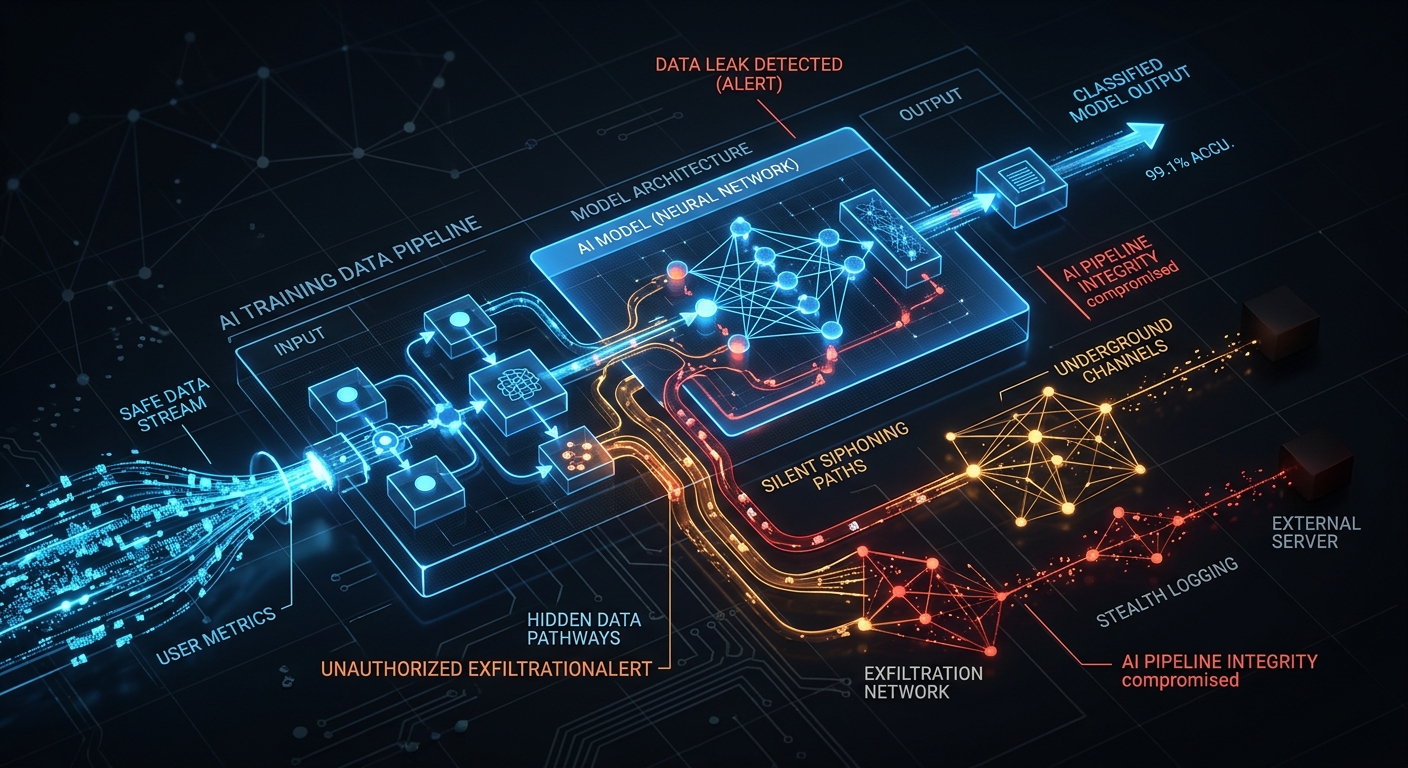
The third control point is where data goes after the model processes it. AI systems send data to multiple destinations: model providers, tracing backends, tool endpoints, and external APIs. Each destination needs validation.
Destinations to validate
Tracing and observability backends:
The DifyTap attack (June 2026) showed how a redirected tracing backend could exfiltrate all conversations. The firewall validates that tracing endpoints are on an approved list and that the data being sent to them does not contain unredacted sensitive content.
Tool endpoints:
When an AI agent calls an external tool or API, the firewall checks that the endpoint is approved and that the data being sent does not contain sensitive content that violates policy.
Model provider endpoints:
The firewall validates that prompts are only sent to approved model providers. If traffic is redirected to an unapproved endpoint (e.g., through a compromised gateway), the firewall blocks it.
File write destinations:
When an agent writes files, the firewall validates that the write target is within the expected workspace. The GhostApproval attack (July 2026) showed what happens when agents write outside their workspace through symlinks.
Egress policy example
Rule: Tracing backend validation
Allowed endpoints: [approved tracing services list]
Action on violation: Block
Alert: Security team
Log: Yes

Rule: Agent file writes
Allowed paths: /workspace/*
Blocked paths: ~/.ssh/*, ~/.aws/*, ~/.config/*
Action on violation: Block
Alert: Security team
Log: Yes

Rule: Tool endpoint validation
Allowed endpoints: [approved API list]
Action on violation: Block
Alert: Security team
Log: Yes
Layer 4: Exfiltration scoring and cumulative tracking
The fourth control point is pattern analysis across sessions. Single-request inspection catches individual violations. Cumulative tracking catches exfiltration patterns that are invisible at the request level.
What to track
Per-session sensitive data access:
How much sensitive data has this session accessed? Track the cumulative volume and type of sensitive data in prompts and responses. If a session accesses an unusual amount of sensitive data over time, flag it.
Per-user patterns:
Does this user's AI interaction pattern look different from their baseline? A sudden increase in sensitive data access, a change in query patterns, or access to data outside their normal scope may indicate a compromised account.
Cross-session correlation:
Is the same sensitive data being accessed across multiple sessions by the same user? This could indicate slow-drip exfiltration where the attacker extracts data in small pieces across many interactions.
Exfiltration risk scoring:
Each interaction gets a risk score based on:
- Volume of sensitive data in the prompt or response
- Whether the data matches the user's role and permissions
- Whether the interaction pattern matches known exfiltration behaviors
- Whether tool calls are accessing data outside the expected scope
When the cumulative score for a session or user exceeds a threshold, the firewall alerts the security team.
Scoring policy example
Rule: Cumulative sensitive data threshold
Per-session limit: 100 sensitive data items per 24 hours
Per-user limit: 500 sensitive data items per 24 hours
Action on threshold: Alert security team, throttle interactions
Log: Yes

Rule: Exfiltration pattern detection
Pattern: Repeated access to different customer records across sessions
Window: 7 days
Action on match: Alert security team, require reauthentication
Log: Yes

Rule: Behavioral baseline deviation
Baseline: User's 30-day interaction history
Deviation threshold: 3x normal sensitive data access volume
Action on deviation: Alert security team
Log: Yes
Implementation roadmap
Week 1: Inventory and classification
- Inventory all AI channels in your environment
- Define what counts as sensitive data for your organization
- Map data classification labels to firewall policy rules
- Start with credential and PII redaction (highest impact, lowest false positive rate)
Week 2: Response inspection
- Enable response inspection for all AI channels
- Configure redaction rules for sensitive data in responses
- Set up alerting for policy violations
- Begin logging all inspection events
Week 3: Egress validation
- Compile approved endpoint lists for tracing, tools, and model providers
- Enable egress validation for all AI traffic
- Configure file write boundary enforcement for AI agents
- Test with known safe and unsafe destinations
Week 4: Exfiltration scoring
- Enable cumulative tracking for all sessions
- Set initial thresholds based on your organization's usage patterns
- Tune false positive rates over the first week
- Integrate alerts with your incident response workflow
Common pitfalls
Over-blocking: If redaction rules are too aggressive, legitimate prompts get blocked and users stop using the AI system (or worse, move to shadow AI). Start with credential and PII redaction, then expand.
Under-scoping: If you only inspect prompts and not responses, you miss the most common exfiltration path. Responses are where sensitive data actually leaves.
Ignoring tool use: If you do not monitor tool calls, you miss attacks like GhostApproval where the agent writes to files outside its workspace. Tool-use monitoring is essential for any environment with AI agents.
No cumulative tracking: If you only inspect individual requests, you miss slow-drip exfiltration. Cumulative tracking is the only way to detect extraction patterns that span sessions.
How Milgram supports this implementation
Milgram provides all four policy layers out of the box:
- Prompt redaction with configurable rules for credentials, PII, source code, and regulated data
- Response inspection with redaction, blocking, and alerting for sensitive data in model outputs
- Egress validation with approved endpoint lists, file write boundaries, and tool call monitoring
- Exfiltration scoring with cumulative tracking, behavioral baselines, and risk thresholds
Policies are configurable per channel, per user role, and per data classification. Alerts integrate with SIEM and incident response workflows.
Bottom line
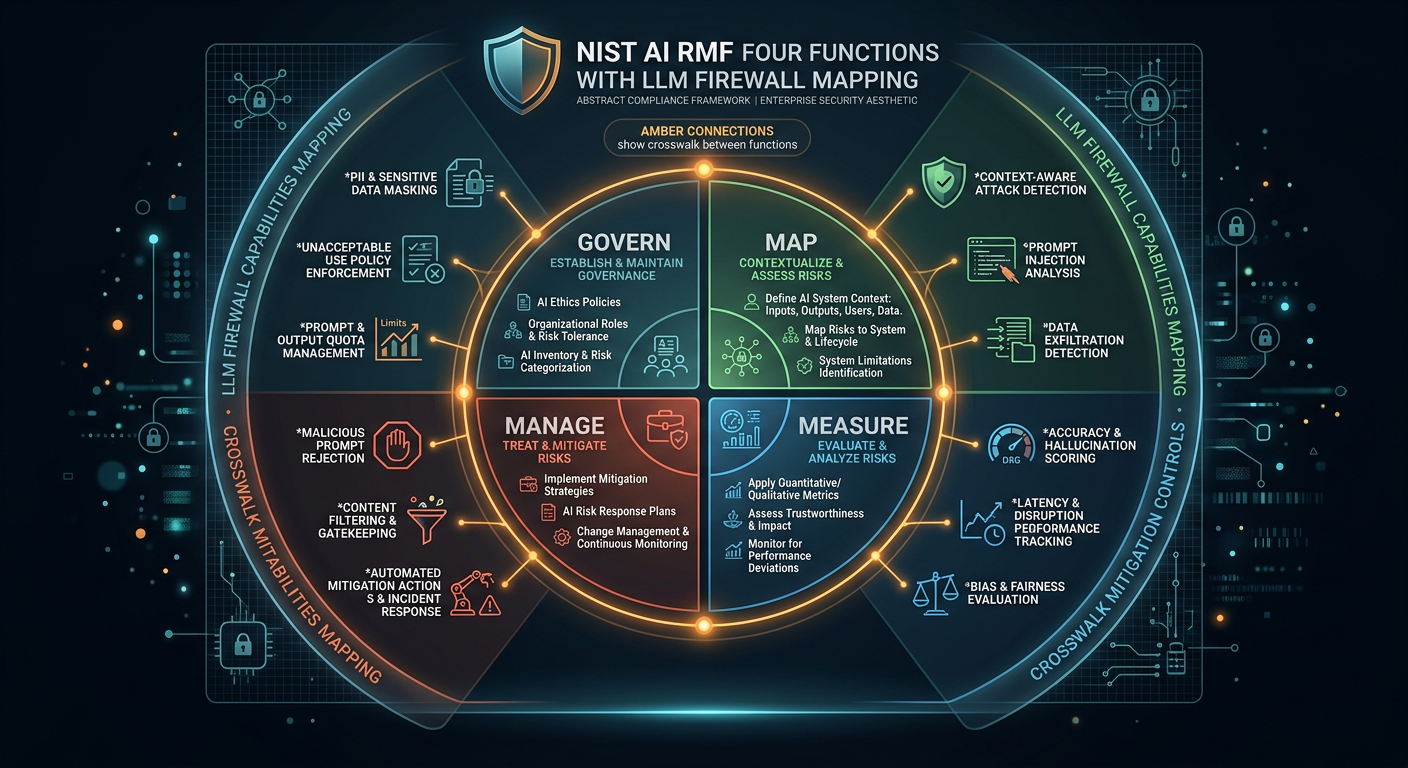
Preventing data leaks in LLM workflows requires four layers of policy: prompt redaction, response inspection, egress validation, and exfiltration scoring. Each layer addresses a different exfiltration path that showed up in real 2026 incidents.
Start with credential and PII redaction in week 1. Add response inspection in week 2. Enable egress validation in week 3. Turn on exfiltration scoring in week 4. By the end of the month, your AI traffic has content-aware controls at every layer.
This is what preventing data leaking in LLM workflows looks like in practice. Not a single tool or a single policy. A layered set of controls that together cover the full exfiltration surface.